
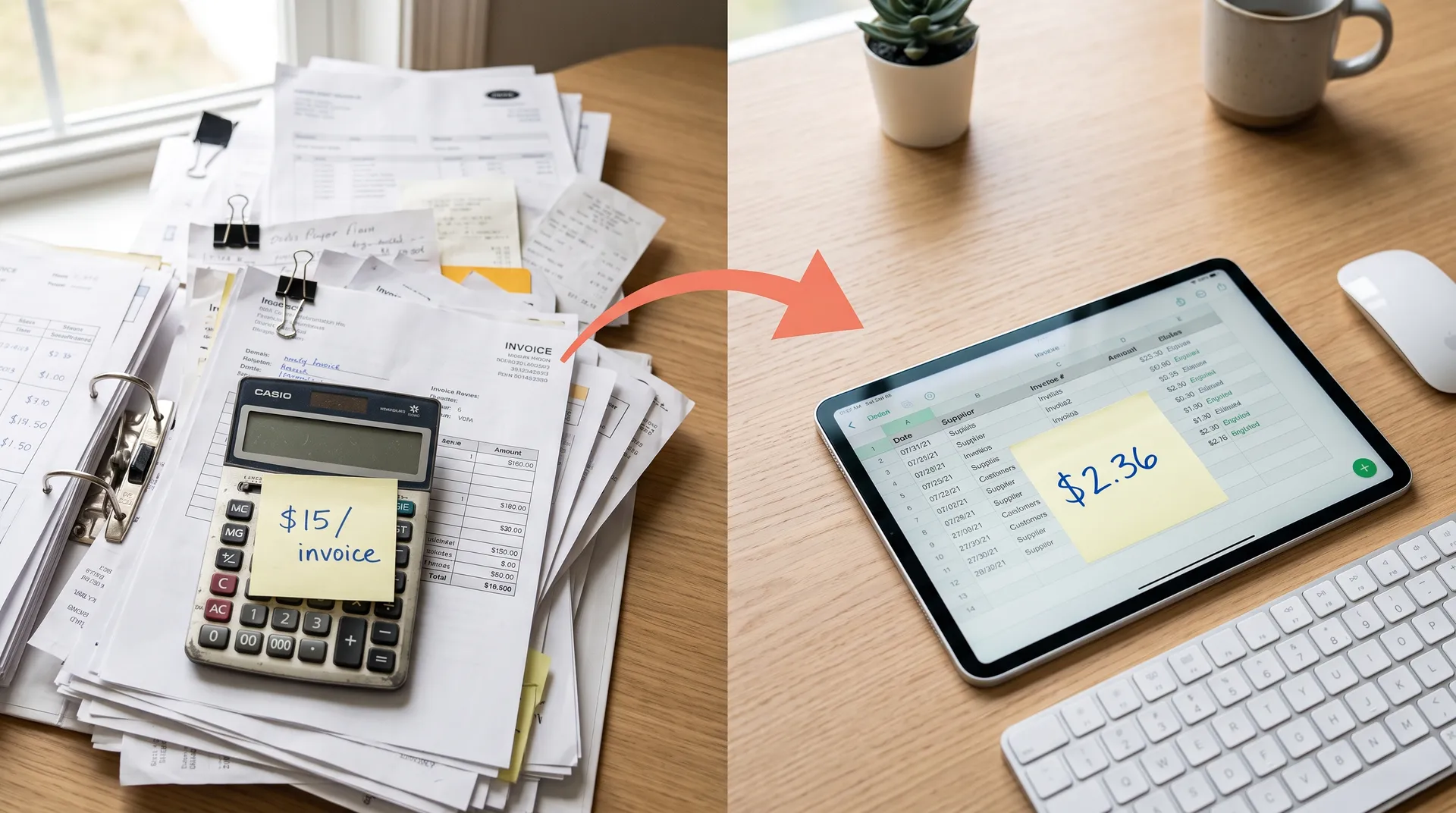
Someone on your team is retyping numbers off a PDF right now. Knowledge workers lose around 9 hours a week just gathering and handling information (McKinsey Global Institute), and over 40% of workers spend at least a quarter of their week on manual, repetitive tasks like it (Smartsheet, 2023). That is a chunk of every week spent copying data a machine could move for free. This post is the buyer-first version of the pitch: what manual entry really costs, how the automation actually works, the honest cost math, and a build-vs-buy guide that tells you when NOT to automate at all.
The reason to read now is that the tooling finally works. In 2026, automation eliminates 80% or more of manual data work, handing back roughly 7 hours a week per employee (US Tech Automations, 2026). The catch is that vendors sell the 80% and skip the part where messy inputs still need a human. We will keep both halves in view.
By Dan Colta. We are a two-founder EU automation studio building owned ops automations for SME teams. This is the vendor-neutral map we wish more buyers had before they signed a per-page contract.
This is a spoke under the ops automation playbook, which ranks repetitive data work high on the list of what to automate first. The pillar tells you what to do first. This post tells you exactly what data entry automation is, what it costs, and how to decide.
Key Takeaways
- Manual data entry carries a 1 to 4% field-level error rate (Barchard & Pace, 2011), and each error costs $53 to $98 to fix (Gartner, 2023).
- Automation eliminates 80%+ of the manual work and pushes accuracy above 99.5%, handing back around 7 hours a week per employee (US Tech Automations, 2026).
- Per document, manual invoice processing drops from ~$30 to ~$5, an 83% reduction (nodewave, 2026).
- Most businesses see ~240% ROI with a 6 to 9 month payback (nodewave, 2026).
- It does not always pay: low volume and messy unstructured inputs can cost more to automate than to leave alone.
What is data entry automation (and what it isn't)?
Data entry automation is software that captures, structures, and files data with little or no typing, eliminating 80% or more of the manual work (US Tech Automations, 2026). It is not a single product. It is a stack of three distinct technologies that people constantly confuse, and picking the wrong one is how projects fail.
Here is the distinction that matters. OCR reads the pixels: it turns a scanned invoice image into machine-readable text. RPA moves the data: it mimics clicks and keystrokes to type values from one system into another. AI extraction, usually LLM-based, understands meaning: it can pull the right total from an invoice layout it has never seen, without a fixed template. Older tools were pure OCR plus rigid templates, which broke the moment a supplier changed their invoice.
The mistake we see most often is buying RPA for a problem that is really an extraction problem. RPA is brilliant at the "type it into the accounting tool" step and useless at understanding a document it has not been scripted for. Modern pipelines combine all three: OCR reads, an LLM extracts and structures, a script or RPA step files the result. Ask which layer a vendor is actually selling before you sign.
We drew the same three-layer distinction for a single document type in our Slack invoice agent build, which is worth reading if invoices are your loudest pain.
What does manual data entry actually cost?
Far more than the wage line. Knowledge workers lose around 9 hours a week gathering and handling information (McKinsey), and over 40% spend at least a quarter of their week on manual, repetitive tasks like it (Smartsheet, 2023). At a modest loaded rate that is thousands of euros a year per person, before you count a single mistake. And mistakes are where the real bill hides, because each data error costs $53 to $98 to fix depending on when it surfaces (Gartner, 2023).
The cost has three parts: labor, errors, and delay. Labor is the visible one. Errors are the sneaky one, because manual entry runs a 1 to 4% field-level error rate (Barchard & Pace, 2011), and a mistake caught at entry is cheap while the same mistake caught in a customer invoice or a tax filing is not. Delay is the invisible one: data sitting in an inbox is data not driving a decision.
| Metric | Manual data entry | Automated data entry | Source |
|---|---|---|---|
| Manual work eliminated | baseline | 80%+ | US Tech Automations, 2026 |
| Field-level accuracy | 96 to 99% | above 99.5% | Barchard & Pace, 2011 / nodewave, 2026 |
| Cost per invoice | ~$30 | ~$5 | nodewave, 2026 |
| Cost per error to correct | $53 to $98 | mostly avoided | Gartner, 2023 |
| Time per document | 10 to 30 minutes | seconds | nodewave, 2026 |
The per-invoice line is the one to hold onto. Manual invoice processing costs about $30 per document against $5 automated, an 83% reduction (nodewave, 2026). Multiply that gap by your monthly document count and the case makes itself.
How does data entry automation work?
It works by reading, extracting, and filing, in that order, and the method you choose depends on how structured your documents are. When inputs are clean and consistent, automated accuracy runs above 99.5% against a human 1 to 4% error rate (Barchard & Pace, 2011). The higher your input quality, the less human review the pipeline needs, and the more of the 80% saving you actually keep.
There are three common methods, and most real builds mix them.
Templates and OCR
Template-based OCR is the oldest and cheapest method. You define where each field sits on a known document, OCR reads that zone, and the value gets captured. It works beautifully for high-volume, identical documents like a single supplier's invoices. It breaks the moment the layout shifts. If your documents come in one fixed shape, this is often all you need, and it is the least expensive to run.
RPA for the filing step
RPA handles the boring last mile: getting extracted data into a system that has no API. It mimics a person clicking through your accounting tool and typing values in. RPA does not understand the document, it just moves data reliably between screens. Use it when the target system is closed, and skip it when a clean API already exists, because an API call is simpler and more robust than a simulated click.
LLM-based extraction
LLM extraction is the method that changed the economics in 2026. Instead of a fixed template, a language model reads the document and returns structured fields even for a layout it has never seen. This is what makes non-standard documents automatable at last. The tradeoff is per-call cost, which you should model before committing. The per-call numbers we used when we last modelled this are in the AI-wrapper SaaS trap, dated at the top of that post.
Build vs buy: the actual cost math
Buy when your documents are standard and a tool reads them well at a fair per-page price. Build when volume makes the per-document fee painful. Automation delivers around 240% ROI with a 6 to 9 month payback (nodewave, 2026), but where that value lands depends entirely on which route fits your volume. The break-even is simple arithmetic, not taste.
The math: multiply your monthly document count by the tool's per-document fee, annualize it, and compare against a one-time build plus cheap hosting. At low volume, the subscription wins because a build cannot amortize. At steady, high volume, the recurring fee compounds forever while an owned pipeline does not.
| Factor | Buy (SaaS tool) | Build (owned pipeline) |
|---|---|---|
| Upfront cost | Low or none | One-time build |
| Recurring cost | Per-document or per-seat, forever | Cheap hosting plus LLM API calls |
| Best at | Low to medium volume, standard docs | High steady volume, non-standard docs |
| Time to live | Days | Weeks |
| System reach | Limited to integrations offered | Any system you can call |
| Break-even | Wins while volume stays low | Wins once the per-doc fee turns annoying |
In our experience the mistake runs both ways. Founders build a custom pipeline for 40 invoices a month, where a $30 tool would have been cheaper for years. Others rent a per-document tool at a volume where the annual fee dwarfs a one-time build. Prototype on a tool first. Commit to a build only once the volume is proven and the fee is genuinely annoying. We put this on a rubric in our build-vs-buy questions, and the same logic drives our Zapier vs n8n vs Make vs custom code comparison.
When does data entry automation pay off, and when doesn't it?
It pays off on high-volume, repetitive, structured documents, where the 80%+ time cut and 99.5%+ accuracy compound fast. It does not pay off everywhere, and any honest vendor will tell you so. The test is volume times per-document cost times error-risk. Score low on all three and manual entry is the cheaper answer, at least for now.
Three failure modes are worth naming. First, low volume: a task you do 30 times a month rarely repays a build, and often not even a subscription. Second, messy unstructured inputs, handwriting, bad scans, wildly inconsistent layouts, still need a human review step, which eats the saving if it is most of your documents. Third, one-off jobs: automating a migration you will run once is almost always slower than doing it by hand.
Here is the honest design rule most pitches skip. Automation does not remove the human, it moves the human. A good pipeline routes low-confidence extractions to a person and passes the confident ones straight through. So the real question is not "can it hit 99.9%?" but "what fraction of my documents are clean enough to pass without review?" If that fraction is high, automate. If it is low, fix your input quality first, because automating chaos just produces faster chaos. Would you rather review 5% of documents or type 100% of them?
Where should you start?
Start with your single highest-volume, most structured document, because that is where the 83% per-document cost drop lands hardest (nodewave, 2026). Do not try to automate all data entry at once. Pick one document type, measure the current hours and error rate, and automate that loop end to end before touching a second.
For most SMEs, invoices are the obvious first target: high volume, standard-ish shape, and a clear per-document cost you can point to. Receipts, order forms, and CRM updates come next. The pattern is always the same: capture, extract, review low-confidence cases, file. Ship the clean-document happy path first, then add handling for the messy edge cases in follow-up iterations rather than chasing a perfect first version.
Once one document type runs itself, the same pipeline shape extends to the next, and the marginal cost of adding a document type falls each time. If reporting is also on your list, the same "measure then automate one loop" discipline drives our weekly reporting automation build.
The bottom line
Manual data entry is quietly one of the most expensive habits an SME carries: hours a week per employee, a 1 to 4% error rate, and $53 to $98 to fix every mistake (Barchard & Pace, 2011; Gartner, 2023). Automation eliminates 80%+ of the work and pushes accuracy above 99.5%, and on invoices it takes the per-document cost from ~$30 to ~$5 (nodewave, 2026). Most businesses land near 240% ROI with a 6 to 9 month payback.
But the honest version matters more than the pitch. Automation pays off on high-volume, structured documents and underdelivers on low-volume or messy ones. Buy at low volume, build once the per-document fee turns annoying, and always keep a human on the low-confidence cases. Start with one document type, prove the saving, then extend.
If data entry is your loudest daily cost and you want it scoped honestly, build or buy, that is what we do. Book a call.
Sources (retrieved 2026-08-11):
- McKinsey Global Institute, The Social Economy (knowledge-worker time on information gathering): https://www.mckinsey.com/industries/technology-media-and-telecommunications/our-insights/the-social-economy
- Smartsheet, Automation in the Workplace (2023): https://www.smartsheet.com/content-center/product-news/automation/workers-waste-quarter-work-week-manual-repetitive-tasks
- Barchard & Pace, Behavior Research Methods (2011) — manual data-entry error rate: https://pubmed.ncbi.nlm.nih.gov/21789720/
- Gartner, Cost of Poor Data Quality (2023), via Parsli Data Entry Statistics: https://parsli.co/blog/data-entry-statistics
- nodewave, Data Entry Automation Tools, Costs and ROI (2026): https://www.nodewave.io/blog/data-entry-automation-tools-costs-roi
- US Tech Automations, Data Entry Automation for Small Business (2026): https://ustechautomations.com/resources/blog/data-entry-automation-small-business-how-to-guide-2026
Frequently asked questions
How much does manual data entry actually cost a small business?
More than the wage line suggests. Knowledge workers lose around 9 hours a week just gathering and handling information ([McKinsey Global Institute](https://www.mckinsey.com/industries/technology-media-and-telecommunications/our-insights/the-social-economy)), and over 40% spend at least a quarter of their work week on manual, repetitive tasks, with data entry among the heaviest ([Smartsheet, 2023](https://www.smartsheet.com/content-center/product-news/automation/workers-waste-quarter-work-week-manual-repetitive-tasks)). At a modest loaded rate, that is thousands of euros a year per person before you count mistakes. Errors compound the bill: manual entry runs a 1 to 4% field-level error rate ([Barchard & Pace, 2011](https://pubmed.ncbi.nlm.nih.gov/21789720/)), and each error costs $53 to $98 to correct once you factor in detection, investigation, and rework ([Gartner, 2023](https://parsli.co/blog/data-entry-statistics)). A mistake found at entry is cheap. The same mistake found in a customer invoice or a tax filing is not. Add rework, delays, and downstream chases, and manual entry is one of the most underpriced costs an SME carries.
What is the ROI of data entry automation?
Most businesses see around 240% ROI on data entry automation with a 6 to 9 month payback ([nodewave, 2026](https://www.nodewave.io/blog/data-entry-automation-tools-costs-roi)). The two savings levers are labor and accuracy. Automation eliminates 80% or more of the manual work, handing back roughly 7 hours a week per employee ([US Tech Automations, 2026](https://ustechautomations.com/resources/blog/data-entry-automation-small-business-how-to-guide-2026)). On the accuracy side, automated entry runs above 99.5% versus 96 to 99% for humans, which removes most of the $53-to-$98-per-error correction bill. Per document, manual invoice processing drops from about $30 to roughly $5, an 83% reduction ([nodewave, 2026](https://www.nodewave.io/blog/data-entry-automation-tools-costs-roi)). The payback lands fastest on high-volume, repetitive documents.
Should I build data entry automation or buy a tool?
Buy when your documents are standard and a tool already reads them well at a fair per-page price. Off-the-shelf OCR and document platforms are the fastest path for common formats like invoices and receipts. Build, or commission a build, when the per-document fee turns painful at your volume, when the tool cannot reach your specific systems, or when your documents are non-standard enough that generic templates keep failing. The break-even is volume times per-document cost against a one-time build plus cheap hosting. At low volume, a subscription wins. At steady, high volume, an owned pipeline stops the recurring fee. Map it against a rubric rather than a sales demo, and prototype on a tool before committing to code.
How accurate is automated data entry compared to humans?
Automated data entry runs above 99.5% accuracy on clean inputs, against a human error rate of 1 to 4% per field ([Barchard & Pace, 2011](https://pubmed.ncbi.nlm.nih.gov/21789720/)). That gap sounds small until you multiply it by volume. On 10,000 fields, a 3% human error rate is 300 mistakes, while a 99.5% automated rate is around 50, and a well-tuned pipeline does better. When each error costs $53 to $98 to fix ([Gartner, 2023](https://parsli.co/blog/data-entry-statistics)), the difference is a real line on the budget. The limit is honest: accuracy depends on input quality. Clean, structured documents automate near-perfectly. Messy handwriting, poor scans, and non-standard layouts still need a human review step. The right design routes low-confidence extractions to a person and passes the rest straight through.
What is the difference between OCR, RPA, and AI data extraction?
They solve different parts of the same problem. OCR turns an image of text into machine-readable characters, so it reads the pixels on a scanned invoice. RPA, robotic process automation, moves that data between systems by mimicking clicks and keystrokes, so it types the numbers into your accounting tool. AI or LLM-based extraction understands the document's meaning, so it can pull the right total from an invoice it has never seen before without a fixed template. Modern pipelines combine them: OCR reads, an LLM extracts and structures, and a script or RPA step files the result. Automation eliminates 80% or more of the manual work ([US Tech Automations, 2026](https://ustechautomations.com/resources/blog/data-entry-automation-small-business-how-to-guide-2026)), but the right mix depends on how structured your documents are.