
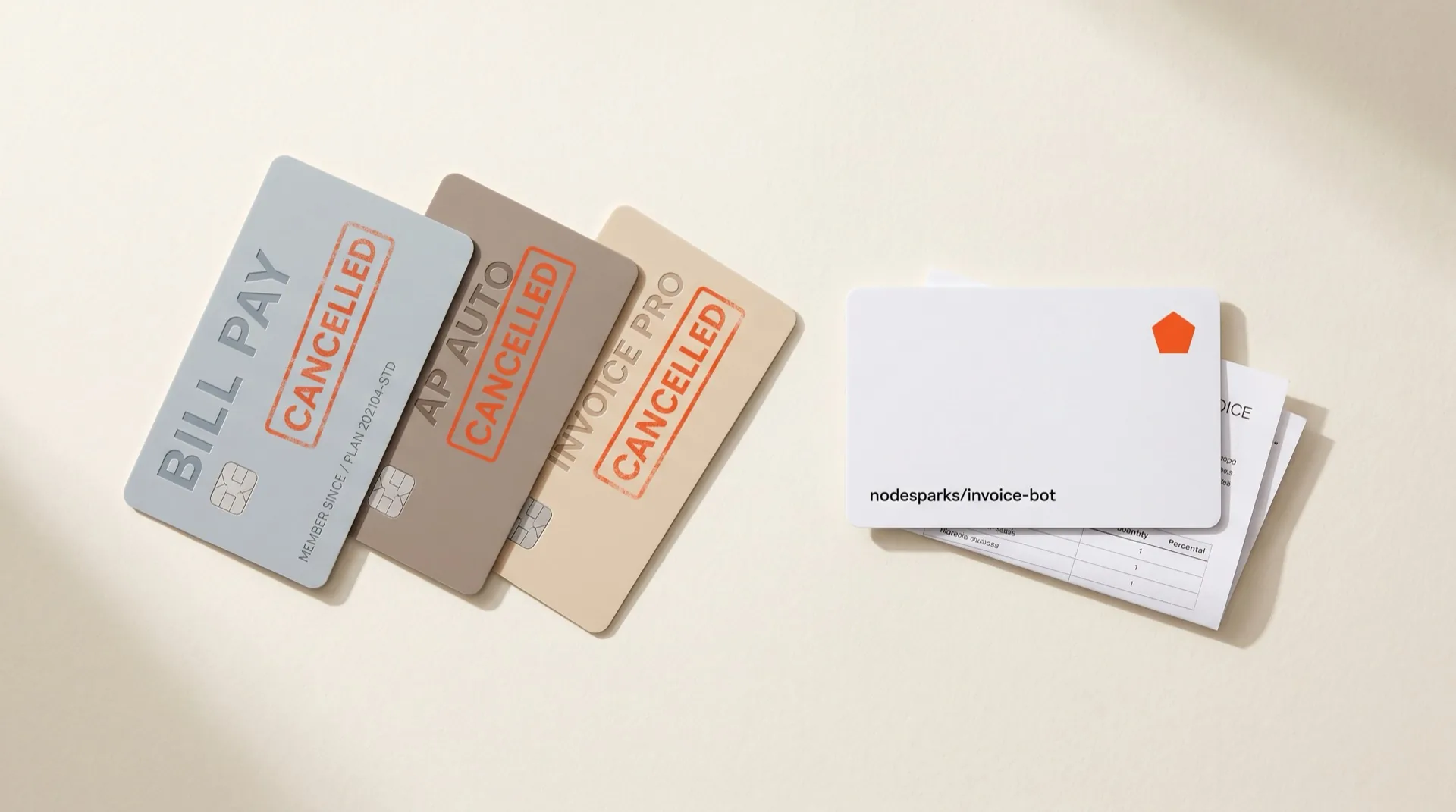
BILL (formerly Bill.com) reached 488,600 businesses using its solutions by Q3 FY2025, processing total payment volume of $79 billion in the quarter, up 11% year over year, in the quarter ended 31 March 2025 (BILL Q3 FY2025 Results). The product is well-engineered and the network effects are real. The problem is the seat math at 5-to-20-person finance teams that do not need multi-entity AP or a payments network.
BILL Essentials is $49 per user per month (BILL Pricing, re-verified 2026-09-18). For a 10-seat finance team, that is $5,880 per year before transaction fees, before integration costs, before the onboarding hours that nobody puts on the invoice. The same approval workflow, shipped inside the Slack channel your finance team already lives in, runs $1 to $42 per month on a custom stack. This post is the architecture, the cost math and the honest section on where BILL still earns the bill.
TL;DR BILL Essentials at 10 seats = $5,880/year. A Slack-native invoice agent on Bolt SDK + Claude vision + Xero/QuickBooks runs $12-$504/year on the same volume. Finance teams already live in Slack. The cognitive-overhead win matters as much as the cost saving. Decision rubric: the build-vs-buy questions.
Key Takeaways
- BILL Essentials at 10 seats costs $5,880/year; a Slack-native equivalent on Claude vision + Xero/QuickBooks APIs + Postgres runs $12-$504/year (BILL Pricing, Anthropic Pricing, re-verified 2026-09-18)
- The saving only lands if the team actually uses the tool, which is why the channel it lives in matters more than the feature list
- The reference stack: Slack Bolt SDK, Claude Sonnet 5 vision for PDF extraction, Xero or QuickBooks Online API for the ledger write, Postgres on Neon for audit trail
- The pattern beats new-tool adoption because finance teams already live in Slack; adding a tab costs more in cognitive overhead than the SaaS saves in time
Why do finance teams reject new tools even when they save time?
The fifth tab is the fifth-tab problem. Knowledge workers toggle between applications around 1,200 times per day and lose just under four hours per week reorienting between tools, roughly 9% of their workweek (Harvard Business Review, "How Much Time and Energy Do We Waste Toggling Between Applications?", 2022). Median org-wide SaaS spend is now $9,455 per employee per year, measured across more than 40 million licenses and $75 billion in spend under management (Zylo, 2026 SaaS Management Index).
What we tell clients on scoping calls is simple. The question is not "does this tool save time?" The question is "where does this feature need to live for the team to actually use it?" Finance teams already spend most of their day in Slack, email, and the accounting system. Adding a sixth surface, even a good one, is a tax. Shipping the feature into the surface they already inhabit removes the tax entirely.
What does BILL Essentials actually cost at SME scale?
The headline price is $49 per user per month for Essentials, $65 for Team and $89 for Corporate (BILL Pricing, re-verified 2026-09-18). The seat count is the dominant variable. A 5-seat finance team on Essentials is $2,940 per year; 10 seats is $5,880; 20 seats is $11,760. Transaction fees stack on top: ACH is $0.59 per transaction, checks are $1.99, international wires are $19.99. The Corporate tier is required for full audit trails and dual approvals.
| BILL tier | Per user/month | 5 seats/year | 10 seats/year | 20 seats/year | Notable caps |
|---|---|---|---|---|---|
| Essentials | $49 | $2,940 | $5,880 | $11,760 | Single approval workflow only |
| Team | $65 | $3,900 | $7,800 | $15,600 | QuickBooks/Xero sync, custom roles |
| Corporate | $89 | $5,340 | $10,680 | $21,360 | Multi-entity, advanced audit |
Two notes the pricing page does not surface. First, the per-user model means the cost scales with the number of approvers, not the number of invoices, so a team that processes 50 invoices per month pays the same as one processing 500. Second, BILL's invoice automation features (OCR, autofill) are gated to Team tier and above; Essentials is a workflow tool with manual data entry.
What does a Slack-native invoice agent actually do?
Five steps, inside one Slack channel. A user drops a PDF invoice in. A bot catches the file-share event and sends it to Claude Sonnet 5 or Gemini 2.5 Flash to extract the fields. It posts a Block Kit card with vendor, amount, due date and GL code plus approve and reject buttons. One click writes the bill to the ledger and logs it to Postgres.
The whole interaction takes 30-60 seconds from PDF drop to ledger update. No tab switch. No login. No training session. The audit trail lives in two places at once: the Slack channel itself (searchable, threaded, immutable for compliance purposes) and the Postgres log (queryable for monthly reports).
What is the real reference stack in 2026?
Here is the architecture we would spec for an SME finance team today, with the explicit reason for each choice:
| Layer | Tool | Why it's the right pick | Cost (100 invoices/mo) |
|---|---|---|---|
| Slack UI | Slack Bolt SDK (Python or TypeScript) | Official framework, handles file_shared events, Block Kit, and HMAC signing-secret verification natively | $0 (existing Slack subscription) |
| PDF extraction | Claude Sonnet 5 with native PDF input | Takes base64 PDF directly, returns structured JSON in one call, handles multi-line invoices with high accuracy (Claude Vision Docs) | ~$1-$3/mo |
| Webhook host | Vercel Functions (or Cloudflare Workers) | Slack requires acknowledgement within 3 seconds; deferred-response pattern fits serverless edge cleanly (Slack Events API) | $0 hobby / $20 pro |
| Audit log + dedup | Postgres on Neon | Free tier covers SME invoice volume; row-level hash catches duplicate invoices before they hit the approver | $0-$19/mo |
| Accounting write | Xero API or QuickBooks Online API | Both expose a createBill endpoint; Xero defaults better for EU/UK SMEs, QuickBooks for US (Xero API, QBO API) | $0 (included in accounting subscription) |
| Approval logic | Inline in webhook handler | Threshold rules (amount > $5,000 require CFO mention; unknown vendor flagged) live in 50 lines of code | $0 |
Total recurring cost at 100 invoices per month sits between $1 and $42 per month. At 500 invoices per month it rises to roughly $5-$60 because Claude API tokens scale linearly. BILL Essentials at 10 seats is $490 per month flat. The break-even moment, at the $7,500 maximum and $42 a month of running cost, lands at month 17. It arrives earlier when the build comes in under the cap.
The approval rule set is what changes from one finance team to the next: single approver versus dual sign-off above a threshold, the accounting target and whether you need an email fallback for non-Slack stakeholders. For the broader pattern of replacing seat-priced SaaS with a custom build, see the build-vs-buy matrix in our SaaS Replacement Playbook.
How much does the build actually cost?
A competent mid-level developer ships the reference build in 30-60 engineering hours. As one owned system it is quoted at $7,500 maximum. You pay for the hours it actually takes. The work splits cleanly into four phases:
| Phase | Hours | What gets built |
|---|---|---|
| Slack integration | 8-12 | Bolt app, signing-secret verification, file-share event handler, Block Kit message templates |
| Extraction pipeline | 6-10 | Claude or Gemini call with structured-output schema, validation, error handling |
| Accounting write | 8-14 | Xero or QuickBooks OAuth, bill creation, vendor matching, GL code validation |
| Audit + reliability | 8-14 | Postgres schema, duplicate detection, retry queue, optional email fallback |
The code is straightforward. The harder part is naming the approval rules clearly enough that the bot's behaviour matches what the finance lead would decide manually. Most build overruns come from "wait, what should the bot do when..." conversations that should have happened in scoping.
Year one P&L for a 10-seat finance team on BILL Essentials versus the custom Slack build:
| Line item | BILL Essentials (10 seats) | Slack-native build |
|---|---|---|
| One-time build | $0 | $7,500 max |
| Subscription / API costs | $5,880/year | $250/year |
| Transaction fees | ~$708/year (1,200 ACH @ $0.59) | $0 (use existing accounting payments) |
| Year 1 total | $6,588 | $7,750 at the cap |
| Year 2-3 ongoing | $6,588/year | $250/year |
Year one is the only year where the subscription looks cheaper. That holds only if the build runs all the way to the cap. The $7,500 is a maximum rather than a price. You are billed on the hours the work actually takes and never above that number. The real year one figure lands at or under $7,750.
From year two the comparison stops being close. The build cost is behind you and you run a $250 a year tool against a $6,588 a year subscription.
What is the bigger pattern here?
The Slack-native invoice agent is one example of a rule that applies across most ops automation: ship the feature where the team already lives, not in a new tool. A version of this story has been making rounds in operator circles for months. The appeal is the zero-onboarding promise. A new tool that saves four hours per week but takes six hours per week to learn is a net loss; the same feature embedded in Slack, email, or the existing CRM compounds from week one.
The rule has a corollary worth flagging. If your team does not already live in Slack, this pattern does not apply. Building a "Slack-native" anything to force adoption of Slack is the same fifth-tab problem in reverse. The same logic decides when to skip the visual-automation platforms entirely for a small custom build versus reaching for a generic tool. The pattern is "meet the team where they are", not "make Slack the centre of everything". We have shipped variants of this pattern in email, in Notion, in WhatsApp Business, and in plain SMS. The surface is the variable, the principle is the constant — and the recurring-cost case behind each one is the four-way Zapier vs n8n vs Make vs custom-code cost teardown. The Apollo alternative breakdown applies the same logic to outreach: the operator already lives in their sequencer, so the build collapses into the surface they use, not a new login.
When does BILL still earn the $5,880?
BILL is the right call when (a) you operate three or more legal entities with intercompany AP volume, (b) you need 1099/W-9 collection at scale for a US contractor base, (c) you need ACH disbursement managed by the vendor with full vendor onboarding flow, (d) you are pursuing a SOC 1 Type II audit and want to reduce the in-scope custom-build surface, or (e) your finance lead simply prefers a vendor-supported tool and the $5,880 is comfortably below the cost of an extra finance hire.
Payments are the sixth case. The custom build covers approval; it does not cover the payment rail itself. BILL handles ACH, check printing, international wires, and vendor payment-method storage. The Slack-native build assumes you are still writing the payment via your bank's existing rails (Xero Bill Payments, QuickBooks Bill Pay, or direct bank transfer). If you need integrated payment disbursement with a vendor portal, BILL's rails are doing real work for the $49 seat fee.
Vendor-neutral disclosure: NodeSparks builds these replacements for clients. We still recommend BILL to roughly a quarter of prospects who ask, because the threshold conditions above genuinely apply to them.
How do you actually get started?
The migration runs as a three-week parallel run, not a cutover. Week one: build the Slack agent against a sandbox accounting account, route invoices through both BILL and the bot, compare outputs. Week two: switch live invoices to the bot for everything under a defined threshold (we typically start at $2,500), keep BILL for the rest. Week three: raise the threshold, monitor the audit log, cancel BILL at month-end once finance is comfortable.
The single most common failure mode we see is skipping the parallel-run period and discovering a missing edge case in production. Three weeks of overlapping cost is cheap insurance against a missed invoice or a duplicate payment.
For the broader framework on which SaaS to replace and which to keep, see the SaaS Replacement Playbook and its six-row decision matrix. The short-form version we use on intake calls is the five build-vs-buy questions. The full NodeSparks blog cluster covers each replacement target in depth.
If you want help scoping a Slack-native AP build, reach out to NodeSparks. We ship invoice agents in four-week engagements.
Frequently asked questions
Is a Slack-native invoice agent SOC 2 compliant out of the box?
Not by default. Compliance comes from how you operate it. The build needs an immutable audit log (every approval, rejection, and amount change written to Postgres with timestamp and actor), least-privilege access on the accounting API key, encrypted secrets, and a documented incident response. Most SOC 2 Type II audits care about evidence of these controls, not which vendor enforces them. Bill.com ships with SOC 1 Type II and SOC 2 Type II reports you can hand to your auditor; on a custom build, your auditor wants to see the same controls implemented and evidenced. Plan for 20-40 hours of compliance work on top of the build if you operate in a regulated industry.
What happens if Slack goes down, do invoices get stuck?
Slack's status page (slack-status.com) reports current-quarter availability consistently above 99.9%, but outages do happen. The mitigation is to write incoming invoices to Postgres before the Slack message goes out, so the queue survives. A scheduled retry pushes pending approvals back into Slack once it recovers. We also recommend an email fallback: if an approval message has not been actioned in 24 hours, the bot emails the approver with the same approve/reject options. This pattern adds about four hours to the build and removes the single point of failure.
Can the bot handle multi-line invoices with different cost centers?
Yes, but it changes the OCR call from a single extraction to a structured one. Instead of asking the vision model for vendor and total, you ask for an array of line items with GL codes and cost centers, then validate against your chart of accounts before the approval message renders. Claude Sonnet 5 and Gemini 2.5 Flash both handle this with structured output in one call. Where this breaks is invoices with hand-written annotations or non-standard layouts. Those need a human reviewer on top, which is a button in the Slack message, not a separate workflow.
How does this work with multiple legal entities or international subsidiaries?
This is where Bill.com still wins. Multi-entity AP with consolidated reporting is genuinely hard to replicate. A custom build can route invoices to entity-specific Slack channels and entity-specific accounting accounts, but you lose Bill.com's consolidated dashboards, intercompany matching, and FX revaluation. If you operate two or fewer entities, a custom build covers it; at three-plus entities with significant intercompany volume, Bill.com's $89/user Corporate tier or NetSuite's AP module is usually the right answer.
Who can build this, does it require a senior engineer?
A competent mid-level Python or TypeScript developer can ship the reference build in 30-60 hours. The Slack Bolt SDK is well-documented, Claude and Gemini both have one-call vision APIs, and the accounting integrations (Xero, QuickBooks) have official SDKs. The harder part is operational: setting up the signing-secret verification, structuring the audit log so it's queryable, and writing approval rules that match how the team actually works. Most failures come from skipping the parallel-run period or over-engineering the OCR step. The bot does not need to read every edge-case PDF; it needs to read the 80% cleanly and escalate the rest to a human.
How is this different from using Zapier or Make to wire Slack to QuickBooks?
Zapier's QuickBooks Online integration tops out at simple field mapping (invoice in, bill out). It cannot handle vision-based PDF parsing, conditional approval thresholds, or stateful audit logging without bolting on multiple paid services. By the time you stack Zapier Pro ($79/month at the relevant task volume), a separate OCR service, and a database for state, you are above $200/month and still maintaining a no-code spaghetti. The custom build collapses that into one codebase you control, at roughly one-tenth the recurring cost. The tradeoff is engineering hours up front.