
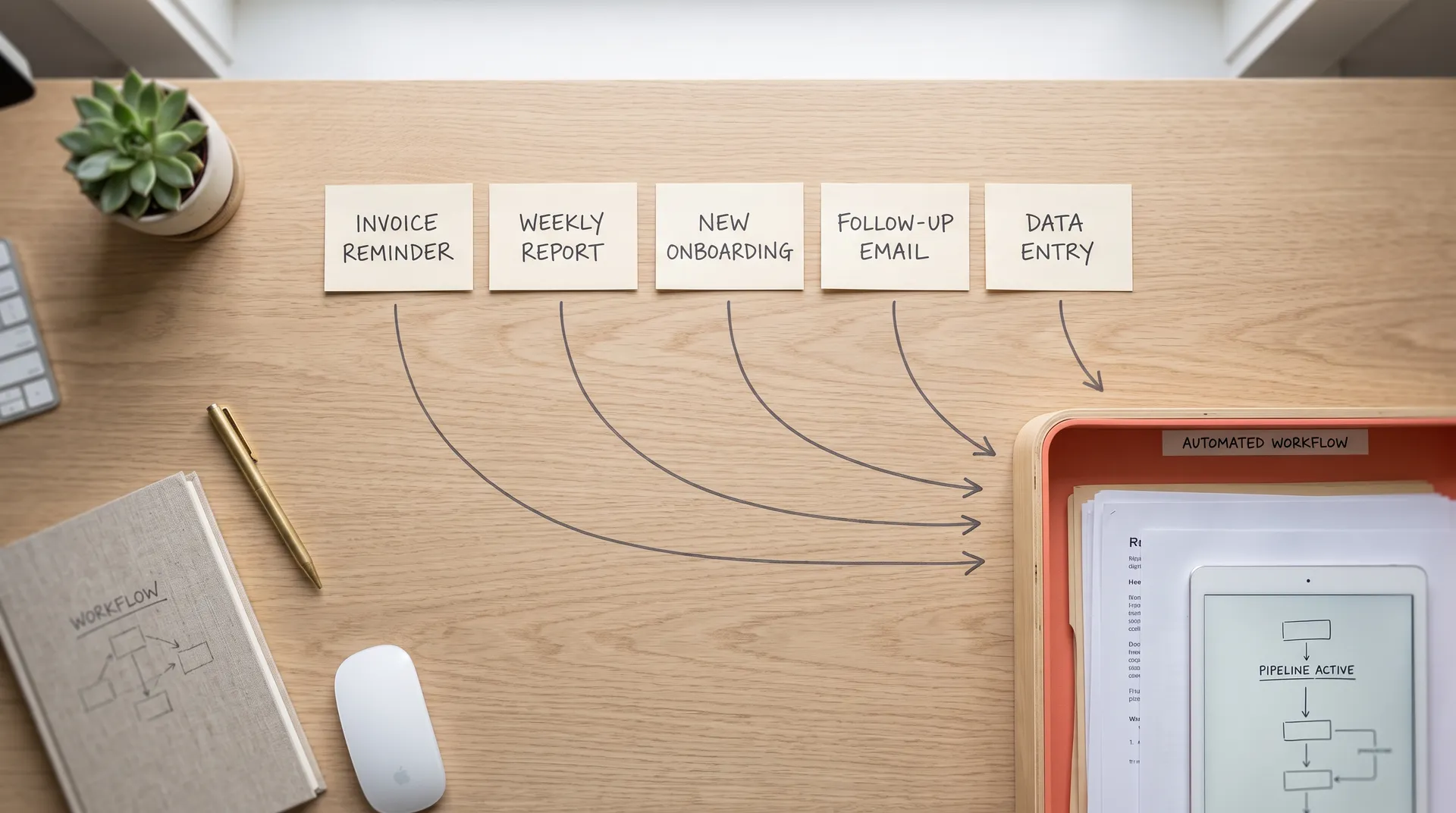
Most small businesses don't have a growth problem. They have a glue problem. Someone re-keys the same order into a second system. Someone chases the same overdue invoice by hand. Someone rebuilds the same report every Monday. In 2026, McKinsey research found that around 60% of employees could save 30% of their time by automating routine tasks. That is not a rounding error. That is a day and a half of every week spent doing work a script could do while your team sleeps.
This post is a spoke in Lane 01, automating your daily ops. It links up to our Ops Automation Playbook, the pillar that ranks the full set of workflows worth attacking. Here we go narrower: concrete workflow automation examples, grouped by department, with the hours each one gives back and an honest build-or-buy note for every line.
By Dan Colta. We are a founder-led EU automation studio building owned automations for SME teams. The examples below are the workflows those builds keep coming back to. This guide comes out of that work rather than a template.
Key Takeaways
- Small businesses that automate follow-up, invoice reminders, and onboarding save roughly 10-15 hours a week (StealthAgents, 2026).
- SMBs save an average of $7,500 a year from AI workflow automation, and 25% of adopters save over $20,000 a year (StealthAgents, 2026).
- Score every candidate by hours-burned x frequency x error-cost, then automate the top three first.
- No-code wins for simple, low-volume work. Custom owned builds win when volume, branching logic, or per-seat fees climb.
- Finance teams that automated invoice and payment work have freed 500-plus hours a year, near 9.9 hours a week (cflow, 2025).
What counts as a workflow worth automating?
A workflow is worth automating when it repeats on a schedule, follows rules a human could write down, and costs real time or money when it slips. In 2026, StealthAgents reported that small businesses automating follow-up, invoice reminders, and onboarding save roughly 10-15 hours a week (StealthAgents, 2026). That is the shape of a good candidate.
Three traits separate a real candidate from a distraction. First, frequency: it runs weekly or more. Second, structure: the steps are the same each time, so the logic doesn't need judgment. Third, cost-when-skipped: something breaks, a customer waits, or money leaks when a human forgets. Hit all three and you have a build worth funding.
What doesn't qualify? A task done twice a year, even if everyone hates it. A one-off migration. Work that needs genuine judgment on every pass, like pricing a bespoke deal. Automating those burns build time you'll never earn back. The test isn't "is this annoying?" It's "does this repeat, and does skipping it hurt?"
If you want the ranked version, the Ops Automation Playbook scores the full twelve-workflow set by hours burned.
What are the best workflow automation examples by department?
The highest-payoff workflow automation examples cluster in finance, sales, and ops, because that work repeats and follows rules. In 2026, StealthAgents documented a marketing agency that cut 65% of its manual work and saved $12,000 a year by automating client reporting, file management, and approvals (StealthAgents, 2026). The table below maps concrete examples to hours saved and a build-or-buy call.
| Department | Workflow example | Est. hours saved/week | Build or buy? |
|---|---|---|---|
| Sales | Lead follow-up and reminder sequences | 3-5 | Buy first (Zapier/Make), own it once volume climbs |
| Sales | Quote and proposal assembly from CRM data | 2-4 | Custom-owned (branchy logic) |
| Ops | New-client onboarding checklist + record creation | 2-4 | Custom-owned (no tool sells your exact process) |
| Ops | Cross-tool record sync (CRM to billing to project) | 3-5 | Custom-owned (glue work, no clean SaaS) |
| Ops | Internal status-update answering in Slack | 2-3 | Custom-owned (lives across your specific tools) |
| Finance | Invoice reminder and overdue chasing | 2-4 | Buy first, own it when the SaaS fee annoys you |
| Finance | Payment and invoice processing / reconciliation | 4-6 | Custom-owned (high frequency, rules-based) |
| Finance | Expense categorization and receipt capture | 1-3 | Buy (mature off-the-shelf tools exist) |
| Marketing | Client reporting assembly from ad + analytics tools | 3-5 | Custom-owned (see agency case, $12k/yr saved) |
| Marketing | Content repurposing and scheduling | 1-3 | Buy first, own if per-seat fees climb |
| HR | Onboarding / offboarding access checklists | 1-2 | Custom-owned (cross-tool, company-specific) |
| HR | PTO request routing and approvals | 1-2 | Buy (common workflow, cheap tools) |
Across our own builds, the finance and cross-tool-sync rows deliver the most durable wins. They run constantly, they're painfully manual, and no vendor sells exactly your process, so a human improvises it every week until you encode it once.
Notice the pattern in the build-or-buy column? The "buy" rows are common, well-defined tasks that many businesses share. The "custom-owned" rows are the ones shaped by your specific stack, where a subscription can't fit because no vendor anticipated your configuration. That distinction drives the cost math later.
We break the reporting workflow down step by step in automating weekly reporting, and cover the guardrails for the outreach side in what's actually safe with LinkedIn automation.
Which workflows should you automate first?
Automate the workflow with the highest score on hours-burned times frequency times error-cost. In 2026, cflow reported that employees estimate automation could save them about 240 hours a year, while their managers estimate closer to 360 hours (cflow, 2025). That gap tells you people underestimate the drain, so measure before you rank.
Run every candidate through one formula:
Priority score = hours per run x runs per month x error-cost weight (1 to 3).
Hours per run is the raw time. Runs per month captures frequency. The error-cost weight is your judgment call: 1 if nothing bad happens when the task slips, 3 if a customer waits or money leaks. Multiply the three. The highest scores go on the build list now.
| Workflow | Hours/run | Runs/month | Error-cost (1-3) | Score |
|---|---|---|---|---|
| Invoice reminders | 0.5 | 40 | 3 | 60 |
| Client reporting | 4 | 4 | 2 | 32 |
| Lead follow-up | 0.3 | 60 | 3 | 54 |
| Onboarding checklist | 2 | 6 | 3 | 36 |
| Expense categorization | 1 | 8 | 1 | 8 |
Most owners rank by how annoying a task feels, and annoyance correlates with hours-per-run, not with total drain. The formula corrects that bias. Invoice reminders feel trivial per run, yet they top the list because they fire constantly and cost money when skipped. The task you dread is rarely the task worth automating first.
Once a workflow tops your list, run it through our five build-vs-buy questions before you commit any budget.
What does the build-vs-buy cost math actually look like?
The real question isn't "no-code or custom?" It's "which one costs less over three years?" In 2026, Gartner projected the workflow automation market growing from $18.4B in 2025 to $80.9B by 2030, with SMEs the fastest-growing segment at a 15.2% CAGR (Yoroflow, citing Gartner, 2026). More tooling means more ways to overpay, so the math matters.
Here's the honest comparison for a single, permanent workflow at moderate volume:
| Factor | No-code (Zapier/Make/n8n cloud) | Custom owned build |
|---|---|---|
| Upfront cost | Low (hours of setup) | Higher (one-time build) |
| Monthly run cost | Per-task or per-seat, scales with volume | ~$5/mo server, flat |
| Cost at high volume | Rises fast, task caps and tiers | Stays flat |
| Who owns it | Vendor (you rent access) | You (own the code) |
| Best for | Simple, low-volume, temporary | Permanent, high-volume, branchy |
| Break-even | Wins early | Wins once volume or seats climb |
The crossover point is consistent: a no-code plan that creeps past roughly €500 a month is usually cheaper to replace with an owned build inside a year. The same goes for a per-seat tool billing a 10-person team. Below that threshold, no-code wins and you should stay there.
The payback case is strong on the numbers. SMBs save an average of $7,500 a year from AI workflow automation, and about 25% of adopters save over $20,000 a year (StealthAgents, 2026). Against a one-time build cost of a few thousand, a single high-value workflow often clears payback in months, then keeps returning hours every week with only a flat server bill underneath.
Which no-code tool fits depends on the workflow. Our Zapier vs n8n vs Make vs custom code comparison breaks down where each one wins and where it starts to hurt.
Where should a small business start?
Start with one workflow, ship it, then measure. In 2026, cflow reported that finance teams automating payment and invoice work have freed 500-plus hours a year, close to 9.9 hours a week (cflow, 2025). You don't need a platform to get that. You need one well-scoped build that runs every day.
A simple first-month sequence:
- Log one week. Pick the workflow that annoys the team most and time every run for a week. Real minutes, not guesses.
- Score it. Run it through hours x frequency x error-cost. If it clears your top-three threshold, it's the build.
- Prototype cheap. Wire the happy path in a no-code tool first. Ship the 80% case, skip the edge cases for now.
- Measure the reclaim. Track hours saved for 30 days. If the workflow proves permanent and the fees or task caps start biting, move it to an owned build.
- Repeat. Take the next-highest score. Compounding beats a big-bang rollout every time.
Why start this narrow? Because a scoped win in week two beats a stalled platform project in month six. Ship one thing that works, prove the hours, then let the results fund the next build.
If you'd rather have that first build scoped and shipped for you, owned outright with no per-seat tax, that's the conversation we run at NodeSparks.
The bottom line
Most small-business pain isn't a missing tool. It's a person acting as the glue between tools. The workflow automation examples above share one shape: work that repeats, follows rules, and quietly costs money when a human forgets. Score your own list by hours-burned times frequency times error-cost, automate the top three, and let each win fund the next.
The numbers back the effort. Average SMB savings of $7,500 a year, 10-15 hours a week reclaimed, and finance teams freeing 500-plus hours annually are not outliers. They're what happens when repetitive work stops running through a human.
If you want a second read on which workflows to build versus buy, or a scoped estimate for owning one instead of renting it, our team can help. Start with the Ops Automation Playbook if you want the full ranking first.
Sources (retrieved 2026-07-28):
- StealthAgents, Small Business Automation Statistics 2026: https://stealthagents.com/research/small-business-automation-statistics-2026
- Yoroflow, Workflow Automation Statistics 2026 (citing Gartner): https://blogs.yoroflow.com/workflow-automation-statistics-2026/
- cflow, Workflow Automation Statistics: https://www.cflowapps.com/workflow-automation-statistics/
Frequently asked questions
What is the best workflow to automate first in a small business?
Start with the workflow that scores highest on hours-burned times frequency times error-cost. In practice that is usually invoice reminders or lead follow-up, because both run constantly and both cost real money when a human forgets. Small businesses that automate follow-up, invoice reminders, and onboarding report saving roughly 10 to 15 hours a week, according to StealthAgents' 2026 automation research. Pick one workflow that runs at least weekly, takes more than 20 minutes each time, and causes a visible problem when it slips. That combination gives you a fast, measurable win and a template for scoring everything else. Avoid starting with a rare task, even an annoying one, because the time you invest never earns itself back.
How much does it cost to automate a business workflow?
The cost splits into build and run. The run cost is small: most single workflows run on a roughly $5 a month server, because one automation rarely needs more compute than that. The build cost is the human design time to map steps, handle edge cases, and connect APIs, and that is where the real money sits. Weigh that one-time build against recurring SaaS fees, which never stop. SMBs save an average of $7,500 a year from AI workflow automation, and about 25% of adopters save over $20,000 a year, according to StealthAgents' 2026 data. So a build that costs a few thousand once often pays back inside a single year, then keeps returning hours every week after that.
Should I use a no-code tool or a custom build to automate workflows?
Use a no-code tool like Zapier, Make, or n8n when the workflow is simple, low-volume, and the per-task price stays cheap. They are excellent for a five-step trigger you set once and forget. Switch to a custom owned build when task volume climbs, the logic branches in ways visual builders make painful, or per-task and per-seat fees start outrunning a flat hosting bill. The break-even is driven by volume and complexity, not preference. In 2026, Gartner projects the workflow automation market growing from $18.4B in 2025 to $80.9B by 2030, with SMEs the fastest segment, so tooling choice matters more each year. Prototype on no-code, then commit to code once the workflow is clearly permanent.
Which business workflows have the biggest automation payoff?
Finance and repetitive admin usually top the list because the work is high-frequency and rules-based. Finance teams that automated payment and invoice processing have freed 500-plus hours a year, close to 9.9 hours a week, according to reporting cited by cflow's workflow automation research. Sales follow-up and client reporting also pay off fast. One marketing agency cut 65% of its manual work and saved $12,000 a year by automating client reporting, file management, and approvals, per StealthAgents' 2026 case data. The pattern is consistent: the biggest wins come from work that repeats often, follows clear rules, and quietly costs money when a human forgets a step. Rare or judgment-heavy tasks give back far less.
How much time can workflow automation actually save?
More than most owners expect, and the people doing the work tend to underestimate it. Employees estimate automation could save them about 240 hours a year, while their managers estimate closer to 360 hours, according to cflow's workflow automation statistics. McKinsey has found that around 60% of employees could save 30% of their time by automating routine tasks. For a small business, reclaimed hours matter more than at a large firm, because every owner and operator hour is scarce. The honest way to size it is to log one workflow for a week, multiply the minutes by how often it runs, and annualize. That number, not a vendor's headline, is what your automation is worth.